
Driving conversions and efficiency with lead capture
Lead capture overview
Section titled “Lead capture overview”Calcumate can now provide you with improved lead flow to help you convert more business, improve efficiency and gain an edge over competitors.
Turning on lead capture provides:
- More leads, by reducing the chances that a visitor uses your calculator but never provides you with their contact details.
- Detailed information about your prospects’ requirements, enabling you to have a more relevant conversation, increasing the chances that you’ll convert the prospect into a paying customer.
- Instant answers to your prospects, meaning they can book straight away without needing to find time to call you or wait for responses from your team. The result is that you can close new business faster.
- Improved efficiency, because you team needs to invest less time to win each new customer.
With lead capture you can capture rich data including:
- Prospect contact details
- Details of items they wish to store or move
- Details of your appropriate storage units / moving trucks
- A link to be able to re-access the prospects calculator, providing:
- a reminder of what needs to be stored/moved
- a loading plan which can be played, paused and rewound
Lead data that can be captured
Section titled “Lead data that can be captured”Calcumate can now provide you with improved lead flow by capturing rich lead data including:
- Contact details
- Details of items they wish to store or move
- Details of your appropriate storage units / moving trucks
- A link to be able to re-access the prospect’s calculator, providing:
- a reminder of what needs to be stored/moved
- a loading plan which can be played, paused and rewound
The specific data you are able to collect includes:
| Field | Explanation | Example | |
|---|---|---|---|
| Full name | Full name | Mr. Ben Smith | |
| bensmith@gmail.com | |||
| Phone | Phone | 934 012 3450 | |
| Start Date | The date that the person would like to begin storing their items. | 2024-03-10 | |
| Items List | A list of items and their quantities | 2 seat sofa X1, Coffee table X1, TV X1, Queen/King mattress X1, Bed base (frame) X1, Fridge X1 | |
| Recommended Unit Size | For a storage calculator: The recommended unit name, and its: capacity (space), utilisation (used) and total weight. |
|
$43 monthly
|
| Unit Details | A description you give to the unit. | Best for Studio or a few items | |
| Calculator Name | The name of the calculator. Useful if you have multiple calculator for different locations, franchisees, or similar. | Hollywood Movers | |
| Shared Results Link | An link to the customer’s calculator results. You can send this to the customer so that they can:
The customer will also be offered to bookmark the link, after they have filled out their details and sent them to you. |
https://www.calcumate.co/?planId=6c5c9c50-17b3-4948-ab6b-f4fc29eb8f13 |
Setting up lead capture
Section titled “Setting up lead capture”To turn on lead capture:
- Log in to your dashboard here: www.calcumate.co/login
- Ensure your plan is at least Generator (ie. Generator or Enterprise) to enable the lead capture function.
- Navigate to the calculator to which you wish to add lead capture.
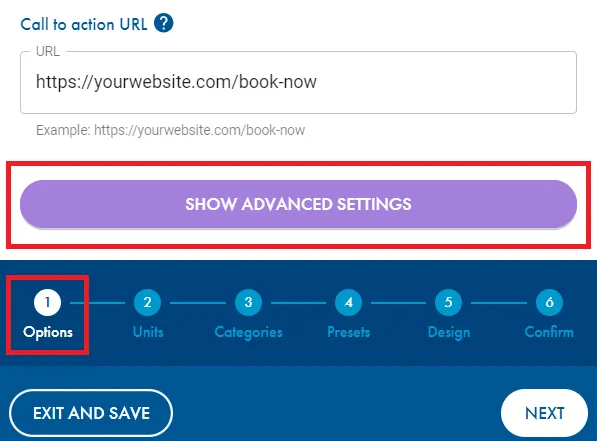
- Go to ‘advanced settings’ on the ‘options’ tab.
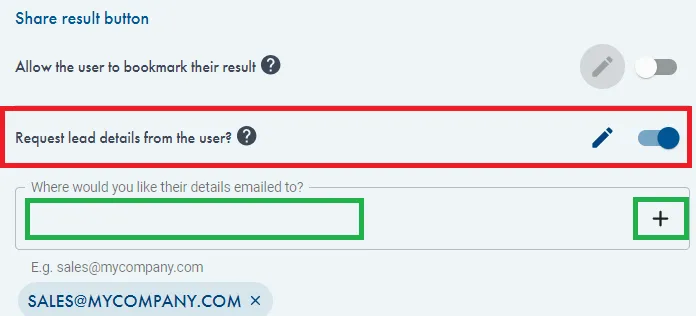
- Turn on ‘request lead details from the user’.
Add the email address you want all leads to be sent to i.e. sales@mycompany.com, press ‘+’.
If you want multiple recipients you can repeat the process to add multiple email addresses.
-
Editing your lead generation form.
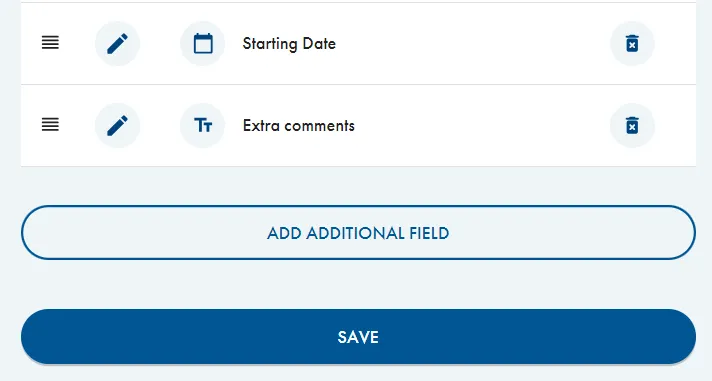
Click the pencil icon to edit the questions on your lead generation form.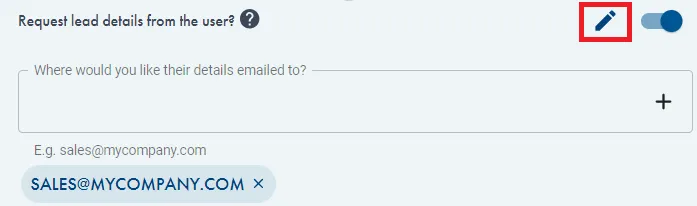
-
You can edit the default questions by clicking the pencil icon.
You can press the bin icon to delete questions you don’t want.
To add additional fields, press ‘add additional field’.
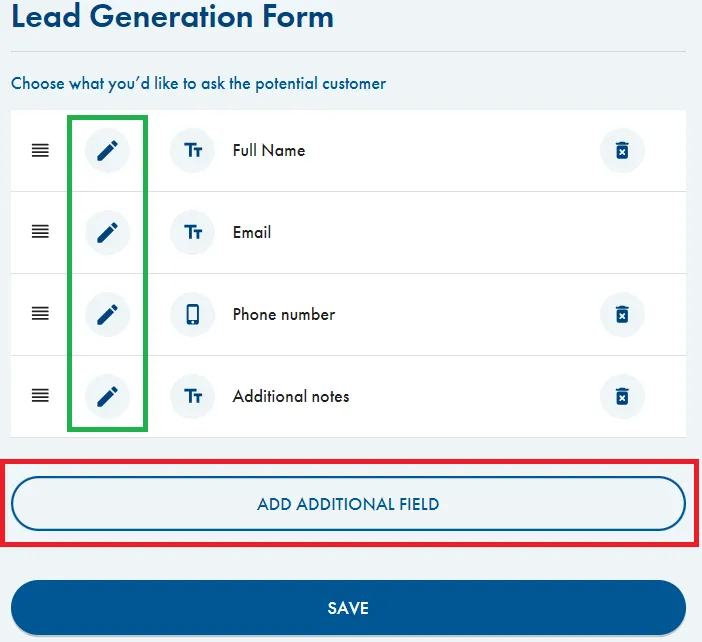
- For example, you can add a calendar (date selection) and/or extra comments (text response).
Press ‘save’ when happy with your changes.
Your customer experience will look like this
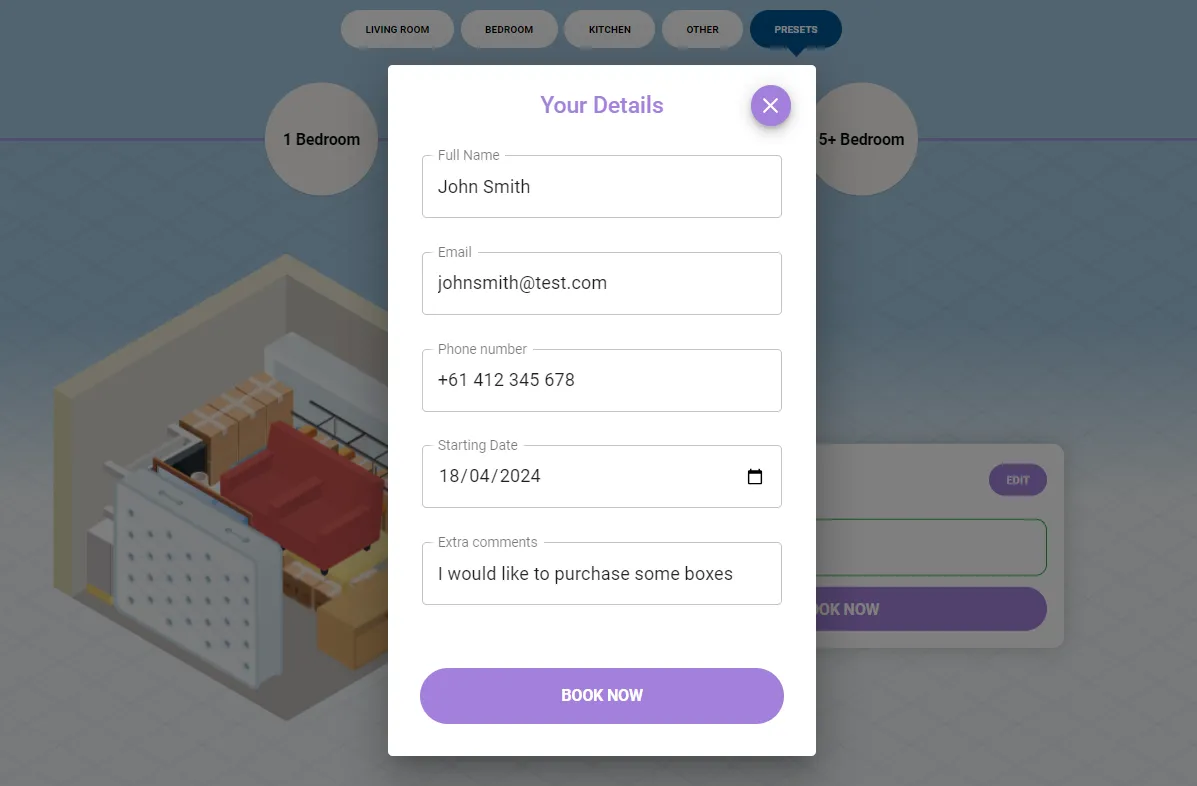
Section titled “Your customer experience will look like this”- The customer can use your presets or build their calculation by selecting individual items.
- Calcumate will generate the result and provide the recommended storage unit.
- The customer can select ‘BOOK NOW’ and they will provided with your lead generation form.
- After completing the form, they will press ‘BOOK NOW’ and be redirected to your CTA (call to action) URL.
(You can update your CTA link in the ‘options’ tab)\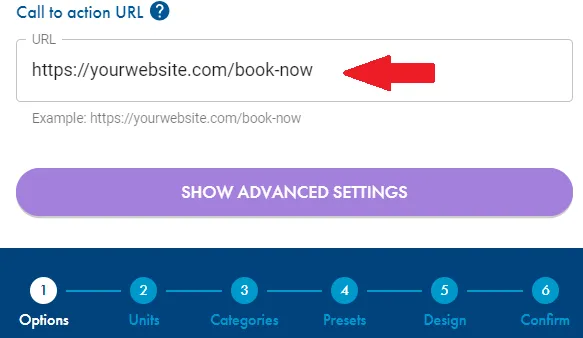
Customer point of view below.
Your point of view
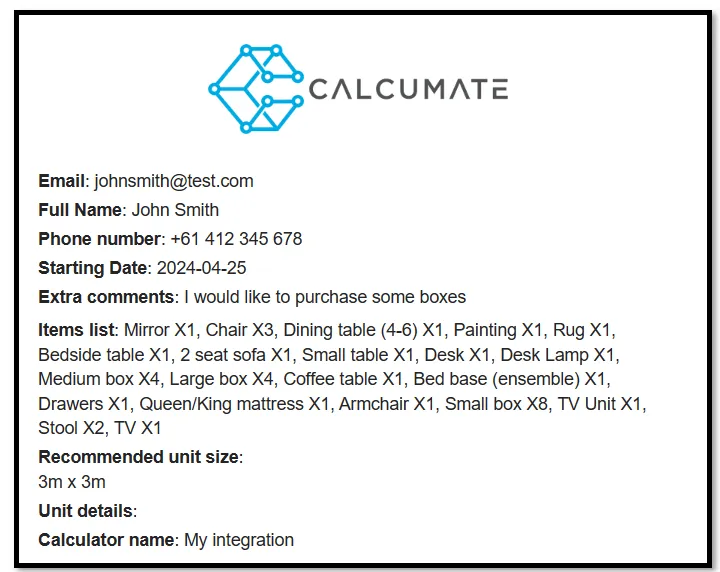
Section titled “Your point of view”You will receive an email with the information you have requested in your landing page.
Advanced Integration: Lead Data Flow
Section titled “Advanced Integration: Lead Data Flow”Lead Data Connectivity
Section titled “Lead Data Connectivity”While Calcumate provides a built-in lead capture form, you may want to pass that data to external systems.
Data Direction
- FROM Calcumate TO External Systems: Supported. You can capture lead details via JavaScript events.
- FROM External Systems TO Calcumate: Not Supported. Calcumate does not currently accept lead data (Name, Email, Phone) via URL parameters to pre-populate its internal forms.
Capturing Lead Details via JavaScript
If you have “Request lead details from the user” enabled, Calcumate triggers a userDetails event whenever a user submits the lead form. You can listen for this on your host page to trigger secondary actions:
JavaScript
window.addEventListener('userDetails', (e) => { const { name, email, phone } = e.detail; // or other fields you added to the form console.log("Lead captured:", name, email, phone);});Important Note on URL Parameters
When using the CTA redirect feature, Calcumate appends calculation data (e.g., cm-qty, cm-volume, cm-location) to the URL. However, for privacy and security, Lead/Contact details are not included in URL parameters. Use the userDetails event above to handle contact information.